 My Basket Score
Three steps. Then just shop.
- Add it to ChromeOne click from the Chrome Web Store. Nothing to sign up for.
- Shop as you always doOpen Tesco, Sainsbury's or Asda. Search, browse, fill your trolley.
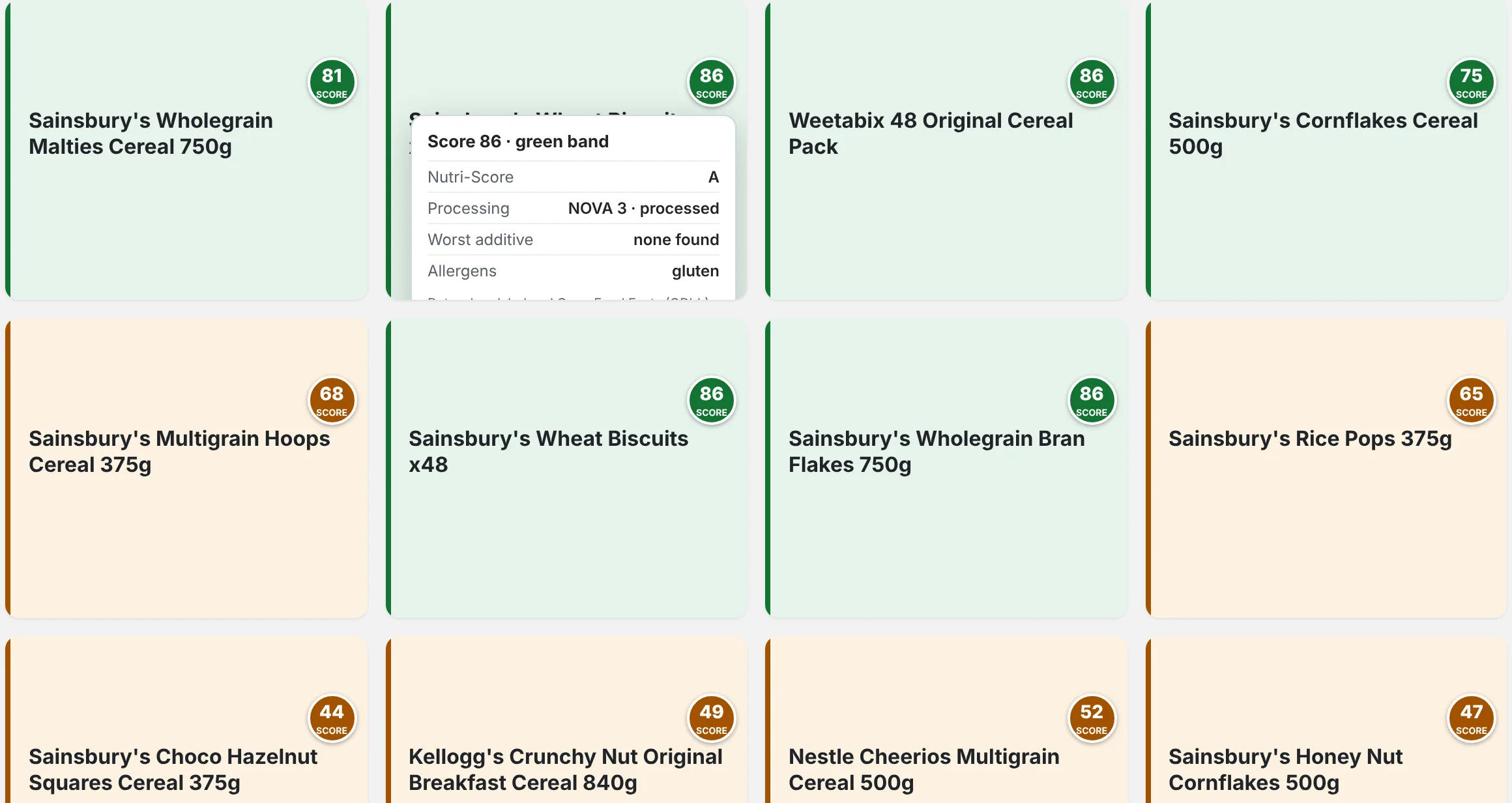
- See the coloursEvery product box turns green, amber or red. Hover the score to see exactly why.
Scores on every product
Spot the better choice in a second
The whole product box takes the score's colour, so the good stuff stands out on a page of fifty cereals. Each score combines three things:
- Nutrition: the official Nutri-Score, from sugar, salt, saturated fat, fibre and protein.
- Additives: the riskiest one in the product, rated by the food-safety evidence.
- Processing: from unprocessed to ultra-processed (the NOVA scale).
Care more about processing than sugar? Move a slider and every score updates.
Your shopping rules
Products that aren't for you get out of the way
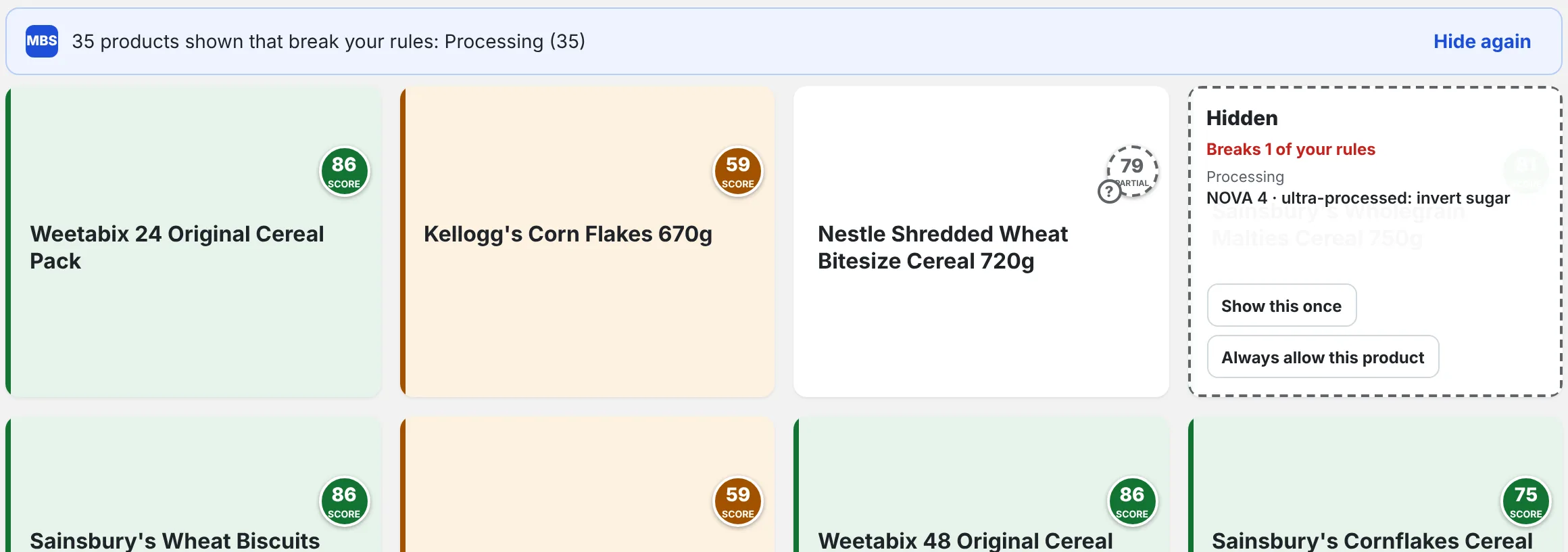
Set your rules once. Anything that breaks them folds away, with the reason, and one click brings it back.
- Allergens, incl. "may contain"
- Gluten free
- Vegetarian
- Vegan
- No pork
- No ultra-processed
- No palm oil
- No sweeteners
- Salt and sugar limits
- Less plastic
- No ready meals
- No sponsored products
If a label doesn't say enough to be sure, the product gets a "?" instead of being hidden on a guess.
Your whole basket
One score for the whole shop
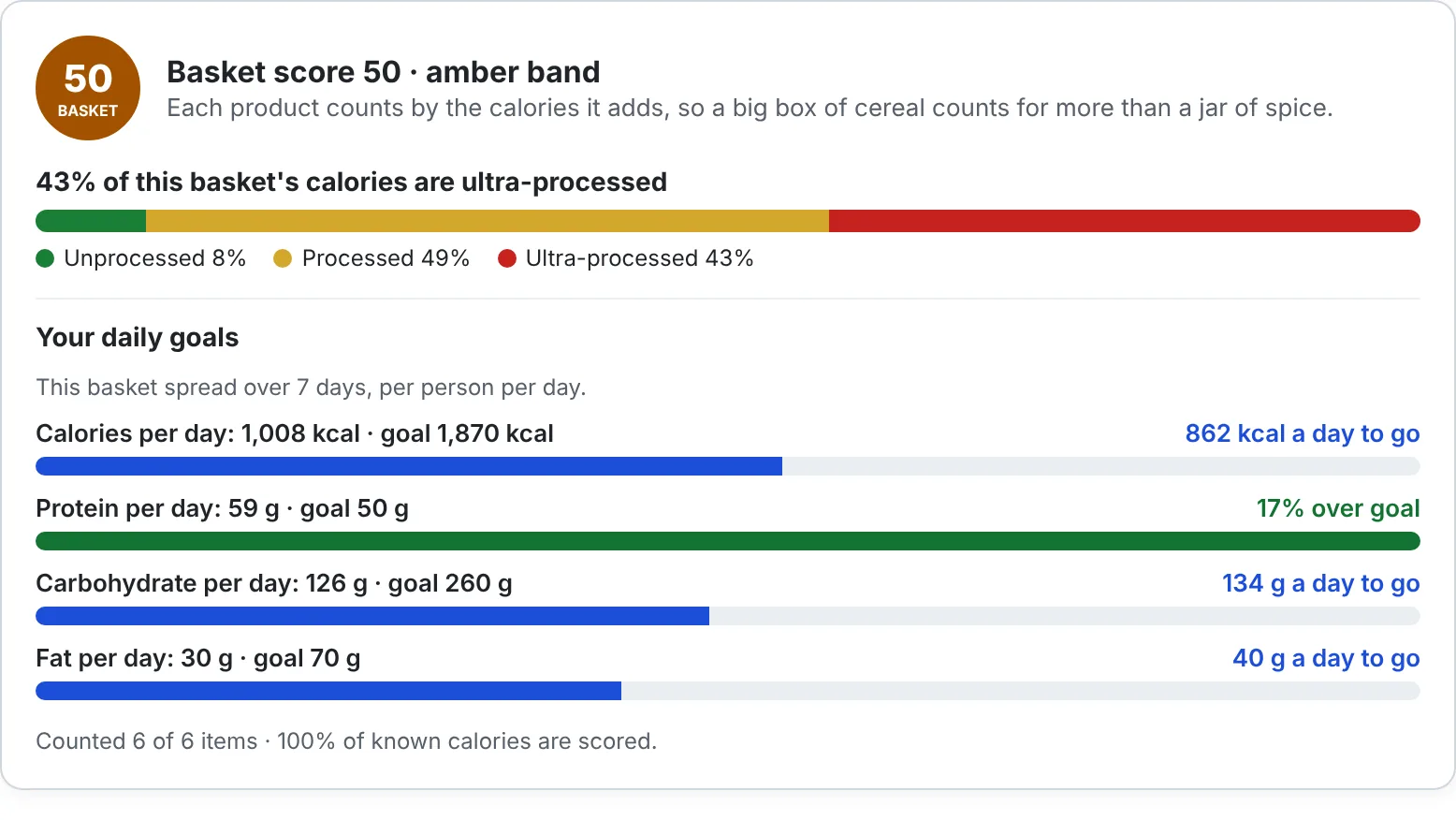
On the trolley page you see how your week's shop adds up: one score, how much of it is ultra-processed, and how it measures up to daily protein, carbohydrate, fat and calorie goals for everyone you're shopping for.
Perfect if you're tracking macros, feeding a family or just trying to cook from scratch more.
Made for the way you actually shop
Questions
Is it free?
Yes. Install it and use it at no cost, with no account. Scores, colours, allergens (including "may contain") and hiding sponsored products are free, and everything in the free version stays free. The extra rules marked Plus (diet, ingredients to avoid, processing and nutrient limits, packaging, the basket score and targets) are free during early access; we'll tell you well before that changes.
Which shops does it work on?
Tesco, Sainsbury's and Asda online groceries, on search, category, product and trolley pages. More UK supermarkets are planned.
Does it work on my phone?
Not yet. It's an extension for Chrome on a computer (Windows, Mac, Linux or Chromebook).
Where do the scores come from?
From the nutrition table and ingredients on the shop's own product page, or from Open Food Facts. Nutrition uses the official 2023 Nutri-Score; processing uses the NOVA scale. You decide how much each part counts.
What if a product isn't known?
It's left as it is, or marked "?" if you have rules on. Open the product's page once and it's scored from then on, for you and everyone else using My Basket Score. A product with missing label details says "partial" rather than showing a confident colour.
Is it medical advice?
No. Scores are a guide to what the label says. If an allergy is serious, always check the pack.
Does it slow the shop's website down?
No. It only reads the page you're on and adds colours to it.
Shop smarter from your next order
My Basket Score is arriving on the Chrome Web Store very soon. Leave your email and we'll tell you the day it's live.
Free · Tesco, Sainsbury's and Asda · Chrome on a computer